PLM's
Apps:
Change Management Artifact Management Like Part Generator Bill of Material & Routing Series ManagementFor a user to be able to own, approve, or manage change request and change orders, they must be added to specific groups in the domain to have the role-based permissions
Change Request Owner (Users that can be responsible for the request and the work plan)
Change Request Approver (Users that can approve the request before the work gets initiated)
TEC Change Request Approver (Users that can approve a TEC)
FFF Change Order Owner
Product Change Order Owner
Tooling Change Order Owner
Firmware Change Order Owner
SIG Change Order Owner
General Change Order Owner
Product Change Order Approver - Users that can approve the product order
Tooling Change Order Approver - Users that can approve the tooling order
Admin - User that has elevated privileges in system and can provide access to groups
If you need Change Management group access, please contact a domain admin in one of the following ways
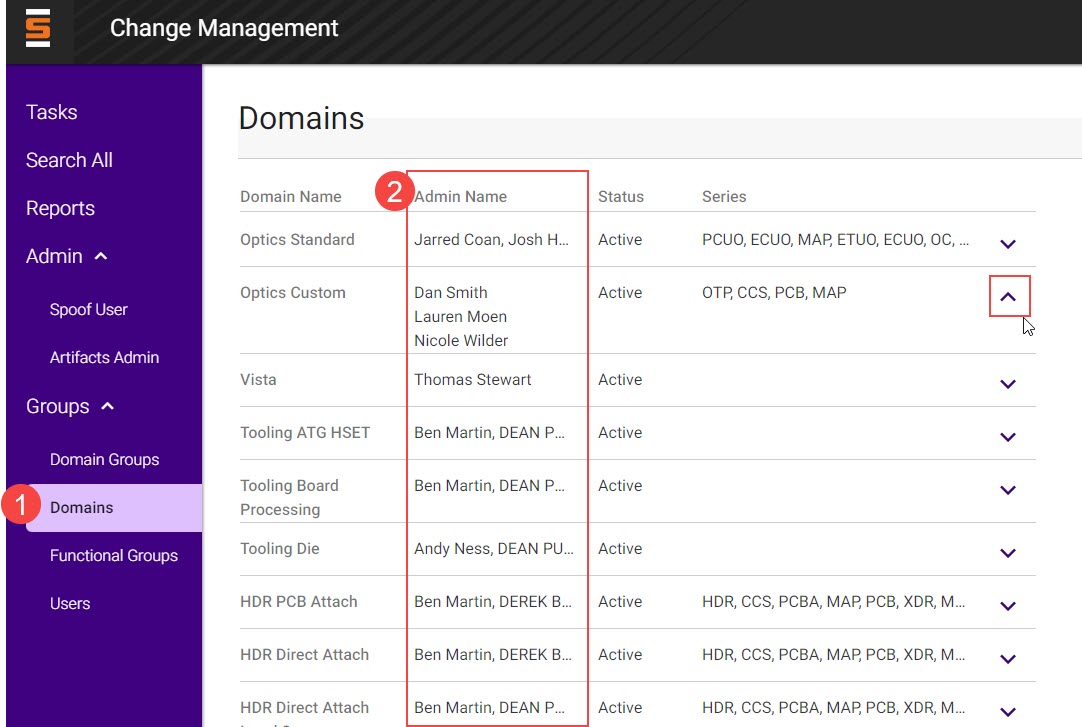
Locate the domain admin on the Domains page under the Group menu and email them directly.
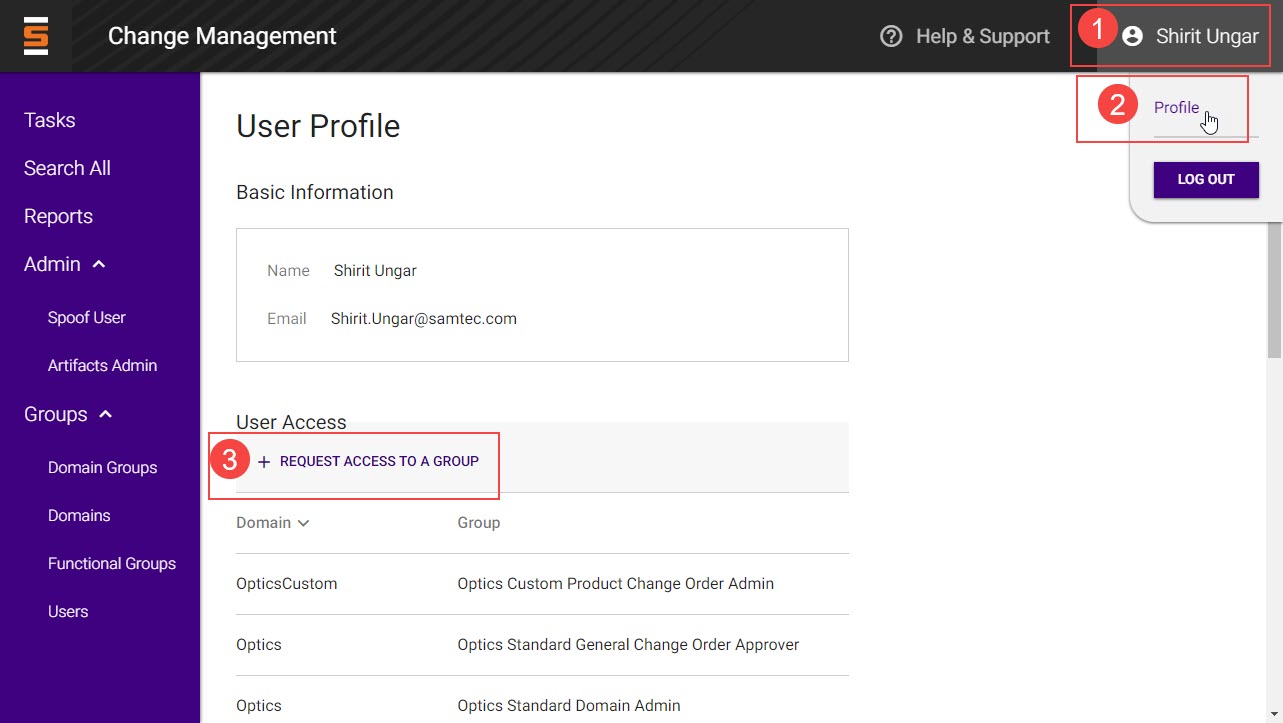
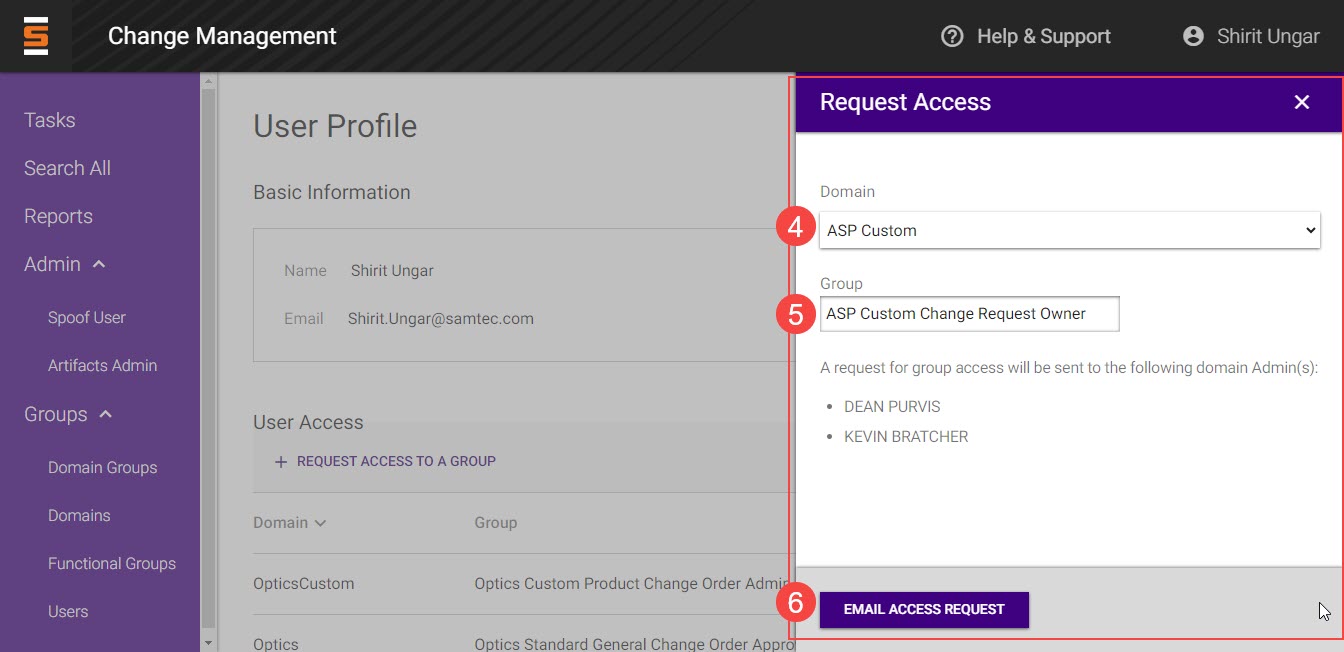
Request a group access from your Profile page. Click on your name in the top right hand corner of page and click Profile. Click the "Request Access to a Group" button, select a domain and search for the group name. Hit the Email access request button to send the request to the domain admin.